Review and acknowledge monitoring alerts
Learn how to open a monitoring alert, review data changes for an entity, and acknowledge one or more changes from the Tasks view, with optional comments recorded in the audit report.
Monitoring alerts group entity data changes identified during a monitoring run so you can review them together.
For more information on alerts, see About monitoring alerts.
To acknowledge a monitoring alert:
Open the Tasks view.
Monitoring alert tasks use the following names, based on the type of data change: Review firmographics changes, Review officer changes, Review ownership changes, Review source changes.
Select a monitoring alert to open its task page.
The task page shows the data changes identified for the entity during a monitoring run.
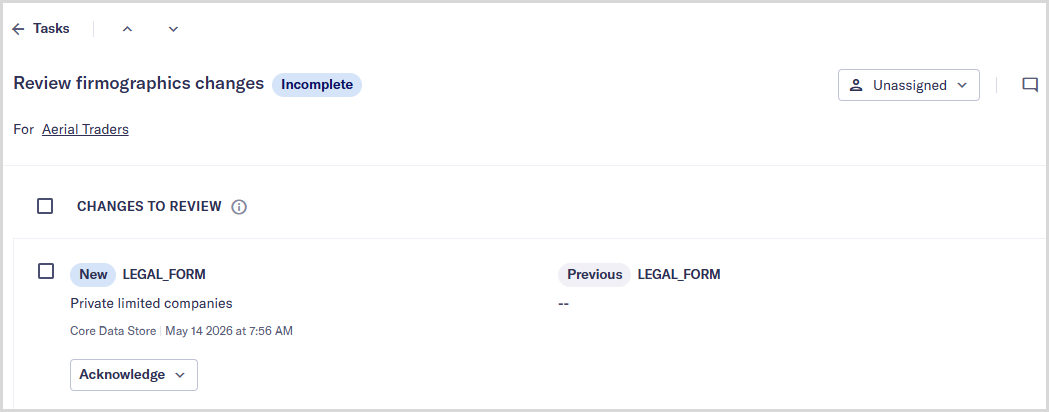
Review each listed change and select .
To acknowledge all changes at once, select the checkbox next to Changes to review, then choose .

Optionally, add a message in the Add a comment box. This comment is recorded in the entity's audit report.
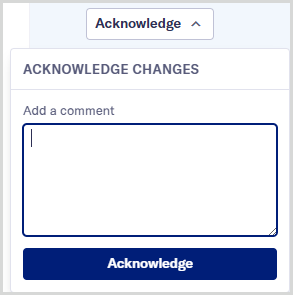
Select to confirm.