Generate an IDD report
This topic explains how AI consolidates data from multiple sources to generate an Intelligence Due Diligence (IDD) report and describes how to generate an IDD report.
The Intelligence Due Diligence (IDD) report is an AI‑generated research report that consolidates information from company databases, risk sources, and publicly available data. It organizes findings into a clear, exportable format, covering areas such as business background, ownership and control, legal and regulatory issues, and other relevant risk factors.
When the IDD report is part of your assessment workflow, a task is created for you to confirm whether or not to generate the IDD report to continue the assessment.
To generate an Intelligence Due Diligence (IDD) report:
Select the generate IDD report task from the Tasks view.
Review the disclaimer on the Generate IDD report task page and select the option.
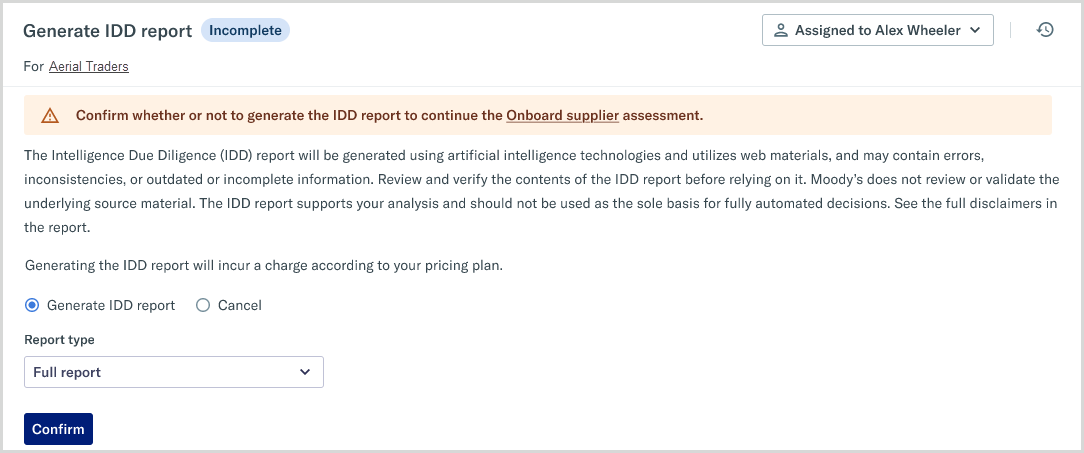
Select . The IDD report agent generates the report.
To view the report, select from the message banner.