Manage API keys
Learn how to manage API keys for your institution, including viewing, issuing, and revoking keys.
API keys allow your systems to authenticate with Moody's for Compliance. Each institution has its own set of keys, including a master API key and any additional keys you create for separate integrations. Managing these keys helps you control access and maintain a clear audit trail.
Prerequisites
You have the Master API key permission:
Read-only access is required to view API keys.
Read and write access is required to issue or revoke API keys.
Get API keys
You can view the API keys available for your current institution, including the master API key and any additional keys created for your integrations.
To get your API keys:
Select the icon in the Moody's for Compliance header bar.
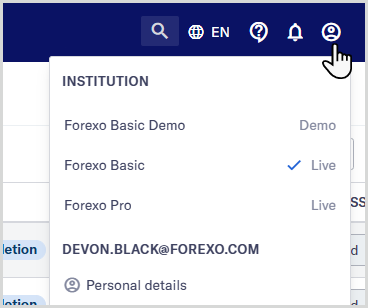
Select .
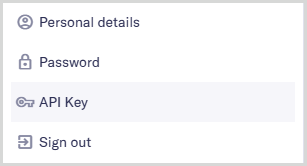
Review your institution's list of API keys. By default, your master API key is named [Institution name] Master API Key.
Note
API keys are managed at the institution level. If you need keys for another institution, switch institutions before starting.
Issue an API key
Create an additional API key when you need a separate key for a new integration, such as a customer relationship management or transaction monitoring system.
To issue an API key:
Select the icon in the Moody's for Compliance header bar.
Select .
Select .
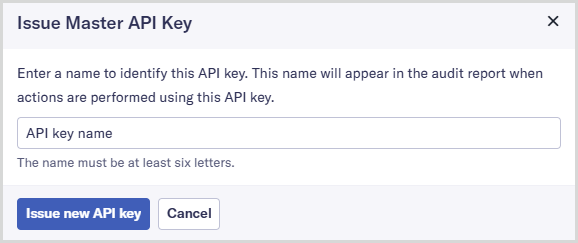
Enter a name for your API key into the API key name field. Choose a name that's at least six letters long.
To ensure your audit reports are easy to read, avoid using any of your users' names as the name of your API key.
Select . The new key is generated and displayed at the top of the list of keys. You can begin using it in your integration immediately.
Revoke an API key
Revoke an API key if it is no longer needed or if you believe it may be compromised.
To revoke an API key:
Select the icon in the Moody's for Compliance header bar.
Select .
Select the Delete button
 next to the key.
A confirmation dialog is displayed to let you know that this action cannot be undone.
Select . The key is revoked and removed from your list of API keys.
Caution
Once you revoke an API key, any integration using it will stop working immediately. A revoked API key can't be recovered.