About firmographics
This topic explains how the Firmographics chapter in the platform provides a summary of a company’s formal identity, covering its legal details, industries, activities, and other firm-level characteristics.
Firmographics are the basic facts about a company, such as legal setup and industries, that define its identity and how it’s classified.
Firmographics aren’t risk signals by themselves. Instead, they provide a baseline view of the company and the data used in your assessments before looking at risk or screening results elsewhere in the platform.
When you search for and select an entity that isn't yet in your portfolio, you can view a high‑level summary of company data, including firmographics, ownership, officers, and financials. Once you add a company to your portfolio, you can view the full company data broken down into chapters, giving you a clearer and more structured look at the key info about this entity.
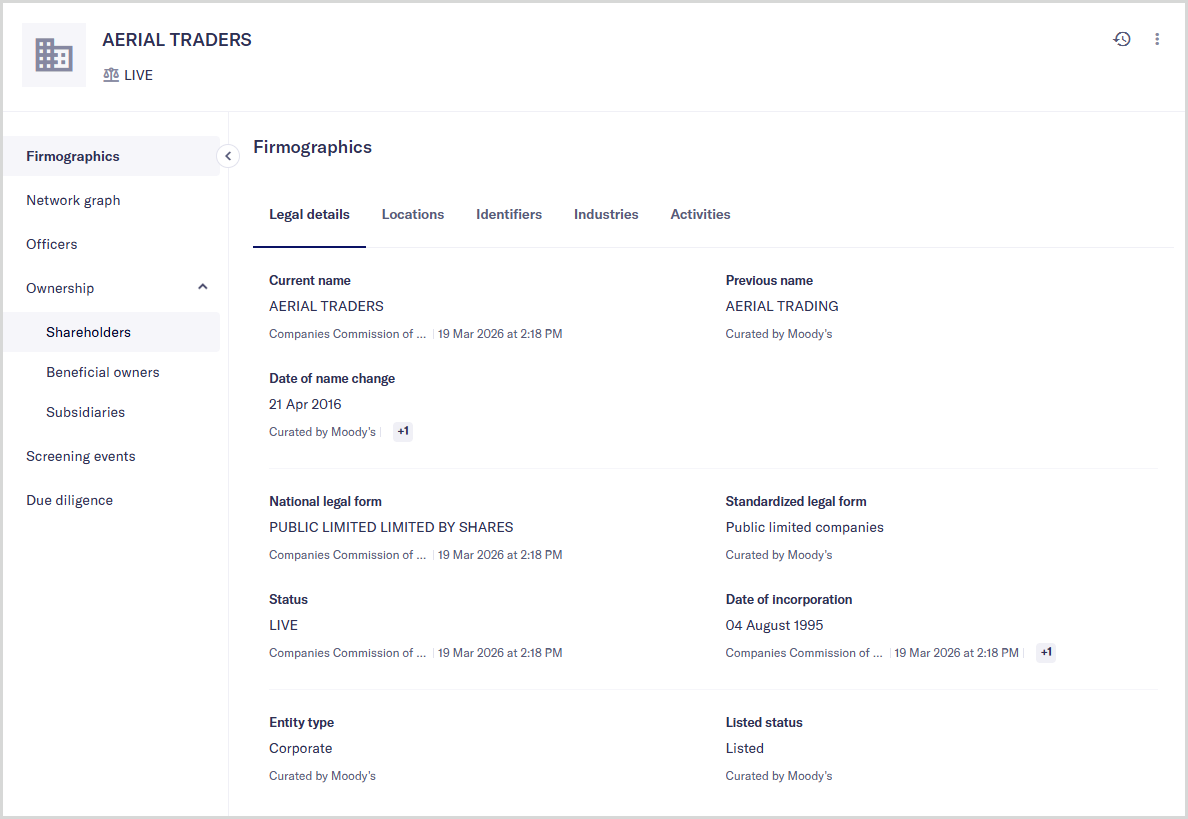
Key firmographics information in the platform includes:
Legal details: Current and previous company names, date of incorporation, and legal classification
Locations: Physical and legal addresses, including standardized and reported versions
Identifiers: Unique codes such as the company's BvD ID, Legal Entity Identifier (LEI), and tax identification numbers
Industries: Industry classification codes, activity descriptions, and overviews
Activities: What the entity actually does and where it is commercially active
The platform uses two data sources to populate firmographics information:
Register: Information about companies collected and maintained in official registers or public databases.
Curated by Moody's: Information sourced from Moody's-owned databases, such as Orbis. This data is reviewed and prepared to support entity identification, enrichment, and analysis.
Your data configuration controls which of these sources are used for your institution, and the order in which Moody's for Compliance checks them. When data is requested, the platform first looks in the primary data source. If the information isn't found there, the platform then looks in the secondary data source, if one is set. If the information isn't available from either source, nothing is shown.