About tasks
A task is a manual step added by an assessment's workflow, for example, to provide missing data or to review screening results.
Select a task from the view to see further details and take action on it on the Task page.
A task is a manual action generated when an assessment's workflow step can't be automated and requires human intervention, for example, to request missing data or to resolve screening matches.
You can access tasks from the Tasks view, which lists tasks that match the filters applied to your view. By default, it displays incomplete tasks assigned to you or one of your teams.
Select a task from the view to open the Task page, where you can review the task details and complete the required actions.
About the Task page
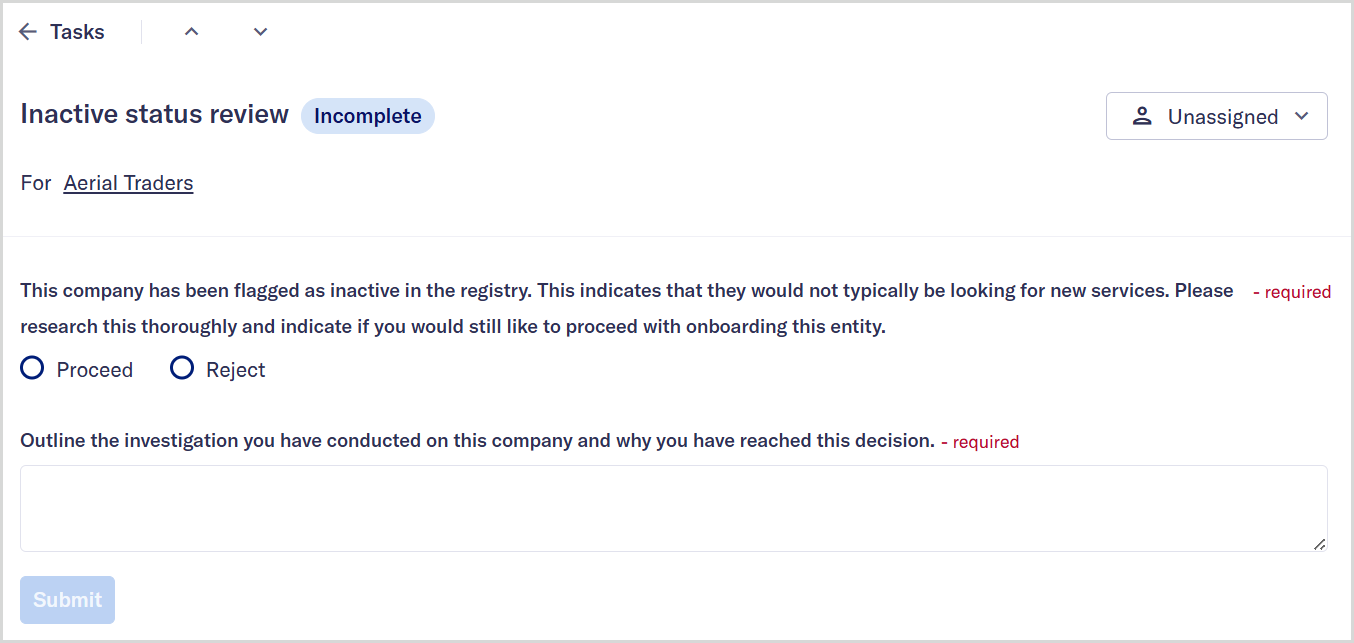
The Task page provides the information you need to complete a task and move the assessment's workflow to its next step.
The information displayed on this page depends on the task type and the action required to progress the assessment. For example:
For screening-related tasks, the page displays a list of unresolved screening matches that require review, such as potential sanctions, PEP, or adverse media matches. Learn more about screening.
For tasks that collect additional information, the page displays a form where you can provide the missing data.
For review or verification tasks, the page may display existing entity details, evaluation results, or previous decisions to help you assess the information and take action.
Once you've reviewed the details and taken any required actions, the task is automatically marked as complete, and you can select in the task header to move to the next task in your queue.