About the network graph
This topic explains how the network graph in the platform provides a visual map of a company’s ownership and control, covering its indirect ownership, beneficial owners, and global ultimate owners.
The network graph is a visual map of ownership and control, so you can quickly see the full structure behind an entity. It includes the onboarded entity, indirect ownership, beneficial owners, global ultimate owners, and their ownership percentages. This saves time during onboarding, investigations, or when reviewing a task by making complex relationships easy to understand at a glance.
Risk indicators like sanctions, PEPs, and state ownership are shown directly in the graph, helping you spot hidden or indirect risk without working through tables in other chapters.
Once you add a company to your portfolio, you can view the graph of that company's ownership and control in the Network graph chapter. The onboarded entity is always highlighted with a border so it’s easy to see.
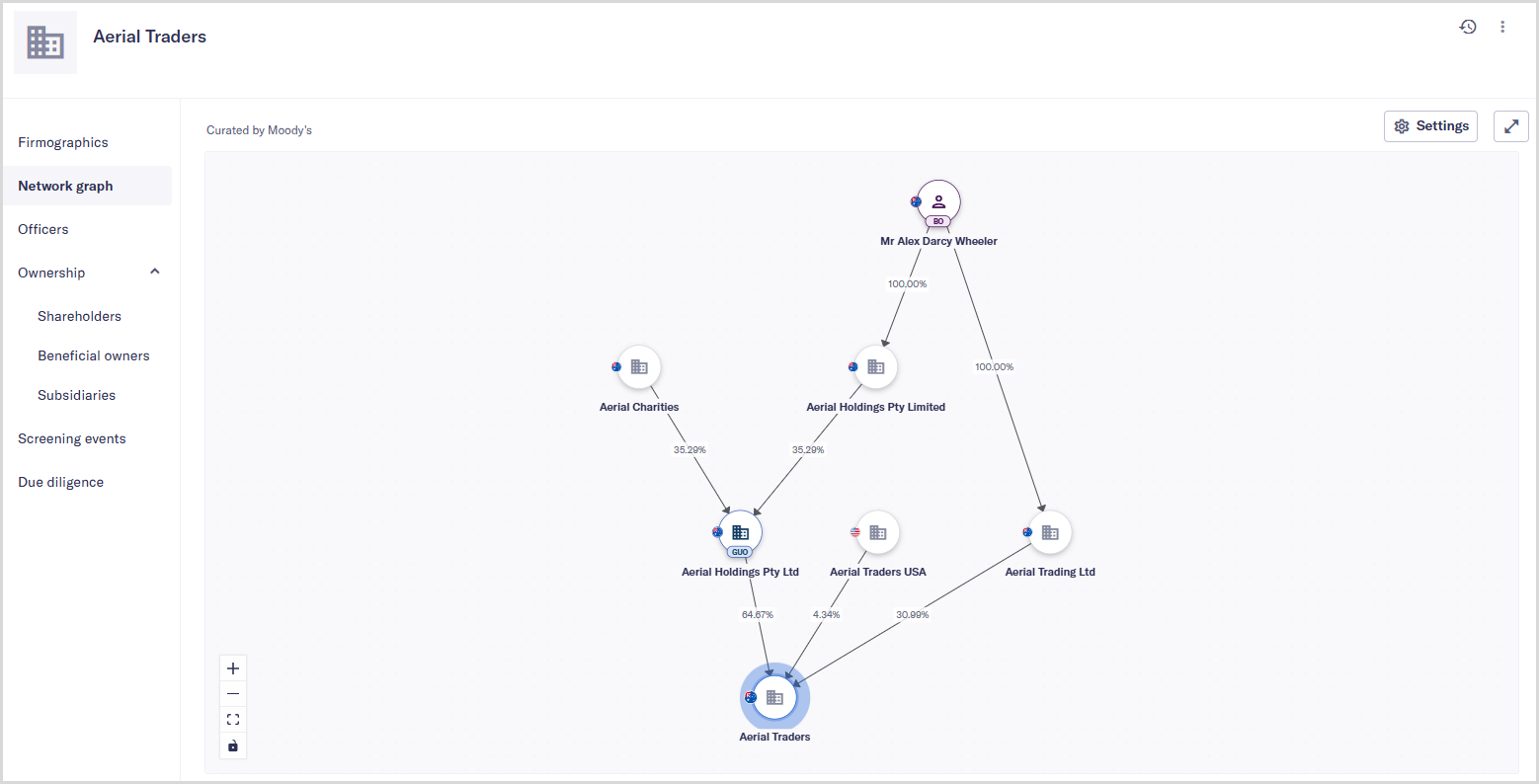
For entities with extensive ownership chains, the graph is initially loaded with a 5% ownership threshold. This helps the graph load faster and keeps the view focused on the most meaningful relationships. You can increase this threshold and select specific roles in the Settings menu to view fewer connections.
You can also change how the graph is arranged using the Structure setting. Sequential lays ownership out in a clear top‑to‑bottom flow, with the onboarded entity at the bottom of the chain. Organic spreads nodes out more and can be useful for browsing large networks. Switching between structures only affects how nodes are arranged, not what data you see.
The platform uses data sourced from the Orbis database to populate the network graph.