About your portfolio
Learn what a portfolio is in Moody's for Compliance, how they grow, and how portfolio information is accessed through views.
Your portfolio is the set of entities your organization works with in Moody's for Compliance. Entities represent the real-world companies and individuals you need to assess and monitor.

You can grow your portfolio by:
Searching for entities and adding them from Moody's curated datasets and external registers.
Manually adding a new entity when an existing record is not available.
Once added, entities become part of your portfolio and can take part in assessments and monitoring activities.
Viewing and working with your portfolio
You primarily work with portfolio information through views, which display real-time data in configurable tables.
Portfolio views help you find and investigate entities
Risk views highlight risk assessments and contributing factors
Task views show work items generated across assessments
Learn more about views.
Recent portfolio additions
The Portfolio additions menu gives you a quick view of recent changes to your portfolio.
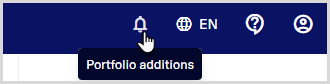
When you select the icon in the header bar, a drop-down list opens showing entities added to your portfolio in the last 30 days. This includes:
Entities that were successfully added to the portfolio.
Entities that failed to be added, for example, due to an error during the addition process.
Each entry shows the entity name and when it was added (or attempted). Selecting an entity name takes you directly to the entity page, where you can view its details or start assessments.